

What's New in .NET 10: A Complete Guide for Modern Developers

.NET 10 is here — and it's a Long-Term Support (LTS) release, which means three years of patches, security fixes, and a stable foundation you can confidently build production systems on. It's the kind of release you upgrade to deliberately, not eventually.
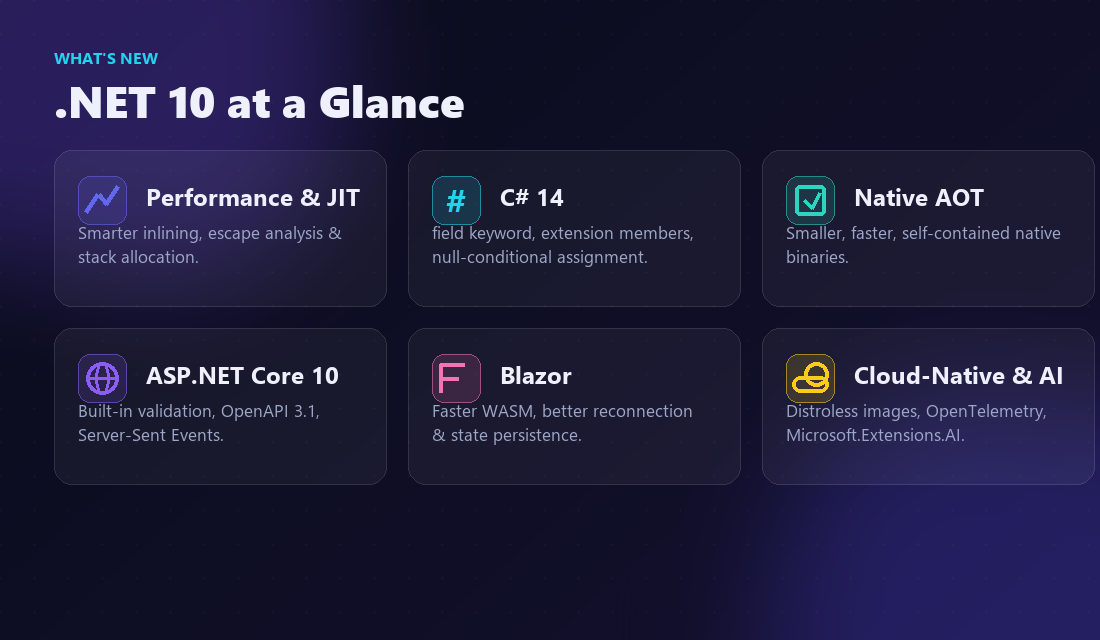
In this guide we'll walk through what actually changed in .NET 10: the runtime and JIT improvements that make your existing code faster for free, the new C# 14 language features, the ASP.NET Core and Blazor upgrades, the delightful new file-based apps, and the cloud-native and AI tooling — with diagrams to make the concepts stick.
Why .NET 10 Is a Big Deal
Every even-numbered .NET release is LTS, and .NET 10 continues that cadence with three years of support. That makes it the natural target for teams standardizing their stack. If you're on .NET 8 (the previous LTS) or .NET 9 (STS), .NET 10 is the version to plan your migration around.
Performance you get for free — most apps run faster just by retargeting.
C# 14 — cleaner, more expressive code with less boilerplate.
Smaller, faster deployments — Native AOT and trimming keep improving.
Cloud-native by default — better containers, diagnostics, and AI building blocks.
Performance: The Runtime Does More for You
The biggest wins in .NET 10 are the ones you don't write a single line for. The JIT compiler and runtime keep getting smarter, so the same source compiles to tighter, faster machine code.
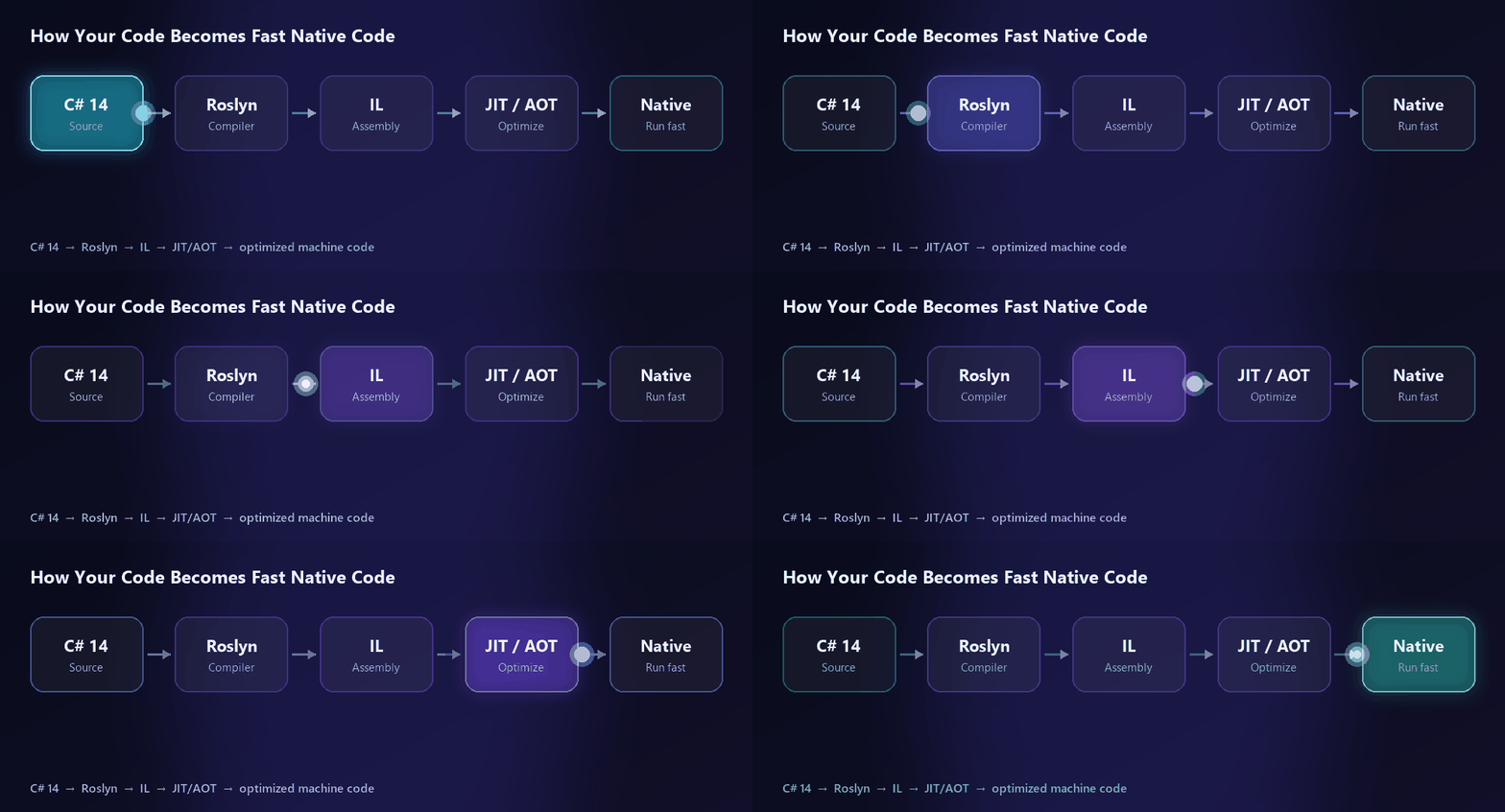
Runtime highlights in .NET 10 include:
A smarter JIT — better inlining, devirtualization, and bounds-check elimination.
Escape analysis and stack allocation — short-lived objects and small arrays can skip the heap, cutting GC pressure.
Native AOT — smaller, self-contained binaries with faster cold starts, ideal for serverless and CLI tools.
GC refinements — continued DATAS tuning for more predictable memory in containers.
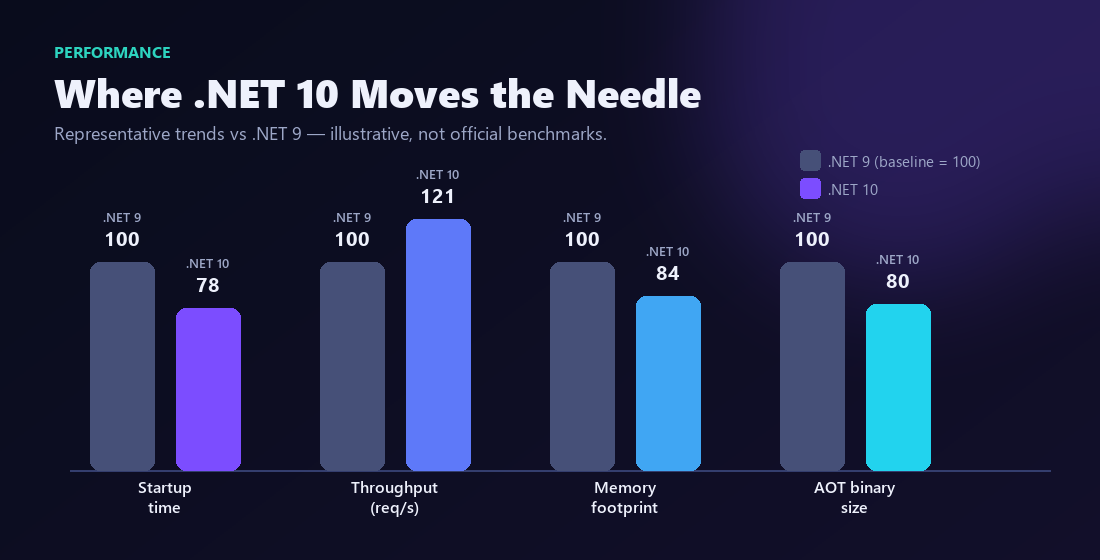
The most underrated upgrade benefit is faster software with zero code changes. Retarget, re-test, and ship.
C# 14: Less Ceremony, More Intent
C# 14 ships with .NET 10 and focuses on removing boilerplate so your code reads closer to what you actually mean.
The field keyword
You can now reach a property's compiler-generated backing field directly with the field keyword — no more declaring a private field just to add a little logic to a setter.
Extension members
Extension methods grow up. New extension blocks let you add extension properties and static members — not just methods — grouped cleanly by the type they extend.
Null-conditional assignment
You can finally write user?.Profile = newProfile; — the assignment simply does nothing when the left side is null, mirroring the read-side ?. you already use.
A few more quality-of-life wins:
nameofnow works with unbound generics, e.g.nameof(List<>).Lambda parameters can carry modifiers like
refandoutwithout restating their types.Partial members expand to constructors and events, which is great for source generators.
ASP.NET Core 10 and Blazor
Web is where most teams spend their time, and ASP.NET Core 10 delivers across Minimal APIs, validation, and Blazor.
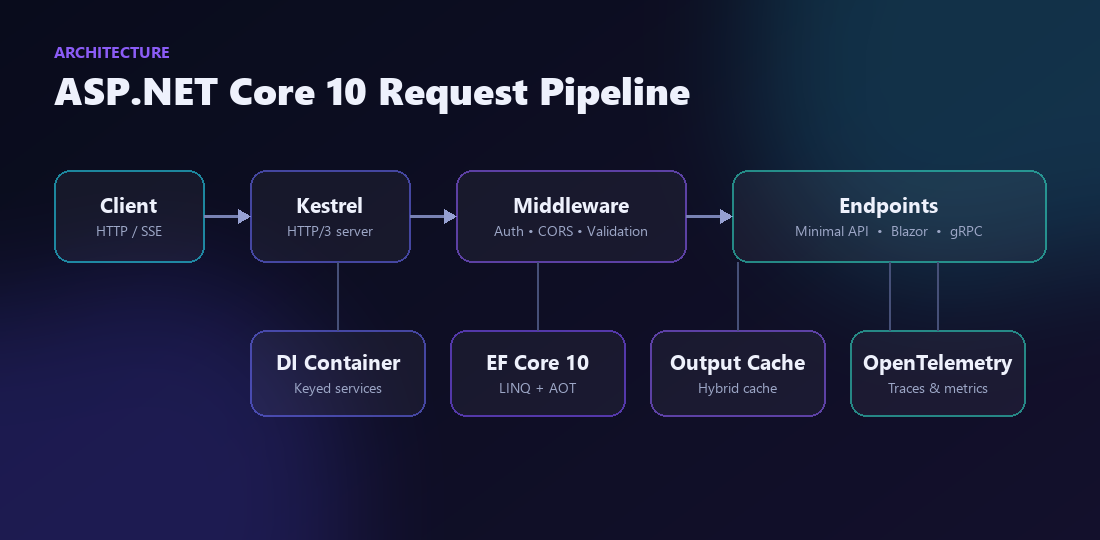
Built-in validation for Minimal APIs using familiar data annotations — no extra package required.
OpenAPI 3.1 documents generated at build time, ready for your client generators.
Server-Sent Events (SSE) as a first-class result type for lightweight streaming.
Blazor — a faster WebAssembly runtime, smoother reconnection UX, and better state persistence across render modes.
File-Based Apps: dotnet run app.cs
One of the most fun additions: you can now run a single C# file with no project file at all.
dotnet run app.csAdd #:package and #:sdk directives at the top of the file to pull in NuGet packages or switch SDKs. It's perfect for scripts, learning, quick spikes, and prototypes — and you can graduate a file-based app to a full project whenever it grows up.
Cloud-Native and AI
.NET 10 leans into how modern software ships and what it does:
Leaner containers — smaller, distroless-friendly base images and faster startup.
Observability — richer OpenTelemetry traces and metrics out of the box.
AI building blocks —
Microsoft.Extensions.AImatures into a consistent abstraction over chat, embeddings, and tools across providers.
How to Upgrade
Install the .NET 10 SDK and set your target framework to
net10.0.Update NuGet packages to their .NET 10-compatible versions.
Run your test suite, watch analyzer warnings, and address any breaking changes.
Benchmark the hot paths — you'll often find free wins.
Final Thoughts
.NET 10 is a confident, polished LTS: faster at runtime, cleaner in the language, and friendlier for cloud and AI workloads — without asking you to relearn the platform. For teams building serious products, it's the version to standardize on for the next few years.
At CodeChoicez, we build high-performance .NET applications — from APIs and SaaS platforms to cloud-native systems. If you're planning a .NET 10 upgrade or a new build, let's talk.