

Distribution Management System (DMS)
About this project
Overview
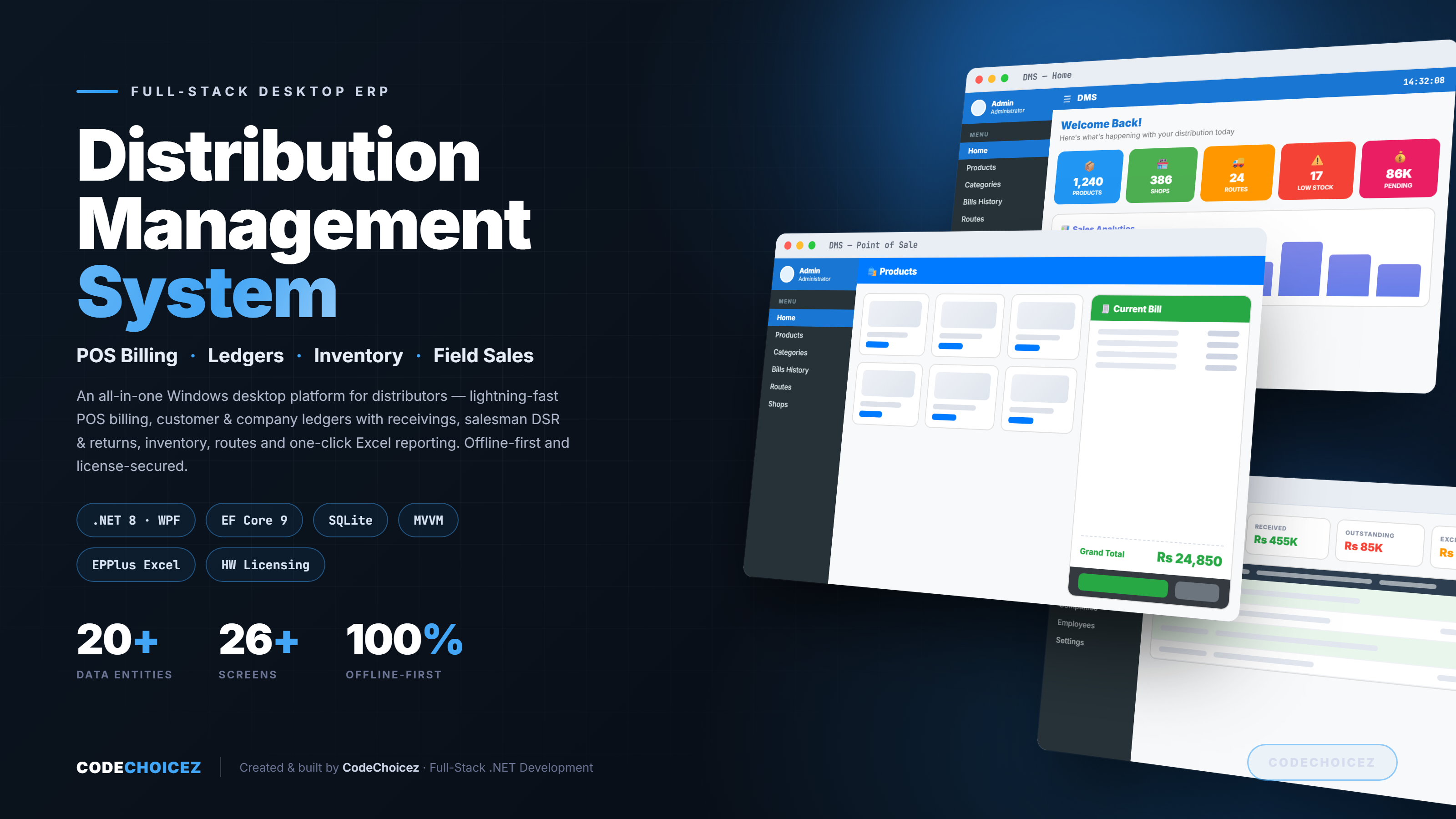
DMS (Distribution Management System) is a production-grade Windows desktop built for wholesale distributors and FMCG suppliers. It runs an entire distribution business from one app point-of-sale billing, customer and company ledgers, field-salesman tracking, inventory, routes and reporting and it works fully offline, so the shop floor never stops when the internet does.
Built around a fast, image-rich POS and a rock-solid double-checked ledger, DMS replaces the stack of registers, spreadsheets and WhatsApp messages most distributors juggle today.
The Problem
Most distributors run on paper or Excel. The result is predictable: bills take minutes to cut at the counter, customer balances are guesses, salesman returns vanish into the margins, and "how much does this shop owe us?" takes an hour to answer. Generic accounting tools (QuickBooks) are too broad and online; POS apps are too narrow and need constant connectivity.
They needed something specific to distribution, fast, offline, and trustworthy with money.
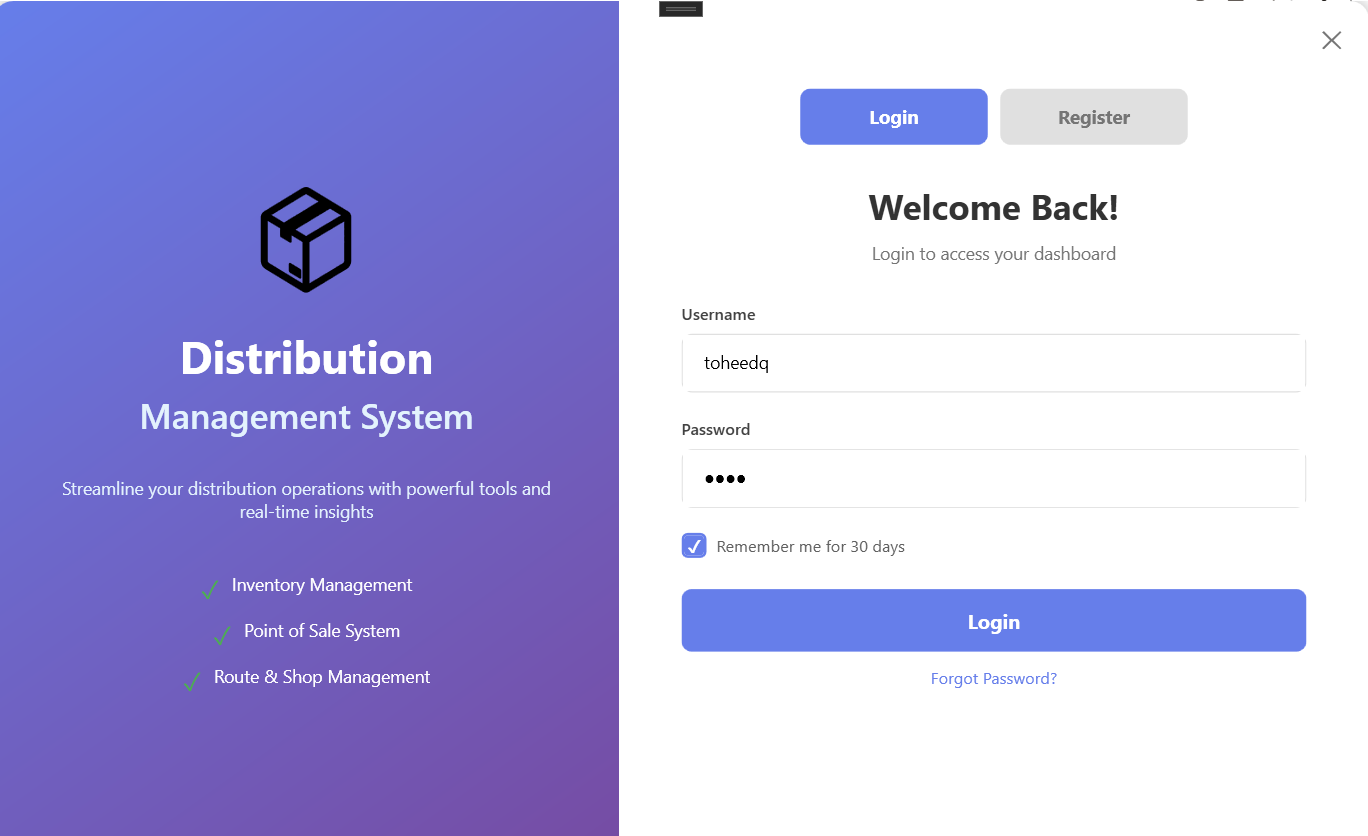
🔐 Secure Login & Access Control
DMS opens on a clean, branded sign-in screen that sets the tone for the whole app. Users log in with a username and password, with a "Remember me" option for trusted machines and a Forgot Password recovery flow for quick resets. New team members can be brought on through the built-in Register tab.
Behind the login sits role-based access control (Admin / User) and online license activation so the software only runs on authorized machines, and each user sees exactly what their role allows. It keeps the business's data both secure and always available.
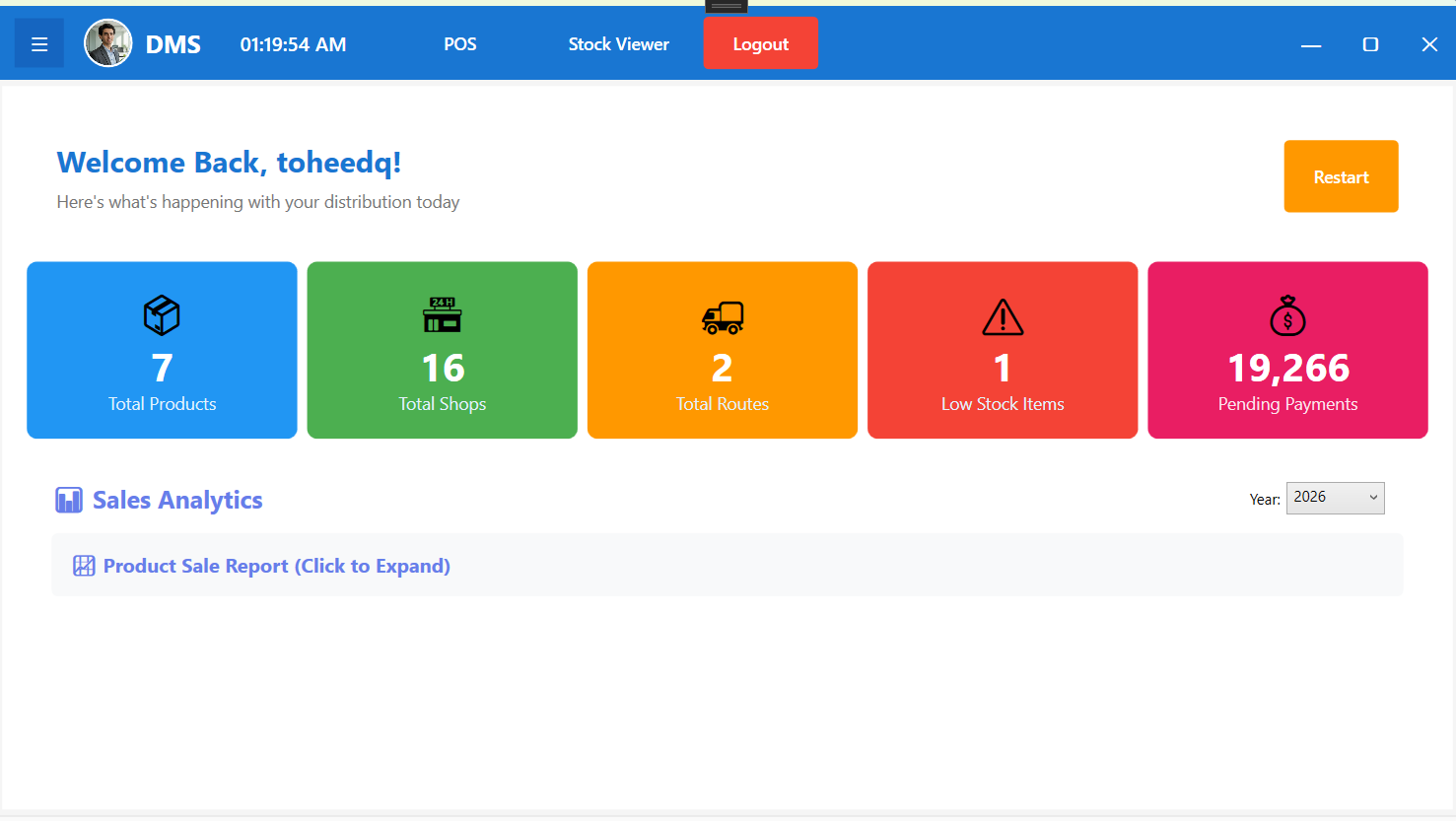
📊 Dashboard & Sales Analytics
The moment a user logs in, the dashboard gives a live pulse of the whole business. Colour-coded KPI cards surface the numbers that matter most total products, active shops, delivery routes, low-stock alerts and pending payments so nothing slips through the cracks. A built-in Sales Analytics chart breaks revenue down month-by-month with a quick year filter, turning raw bills into trends at a glance. It's the daily command center: know exactly where the business stands before making a single call.
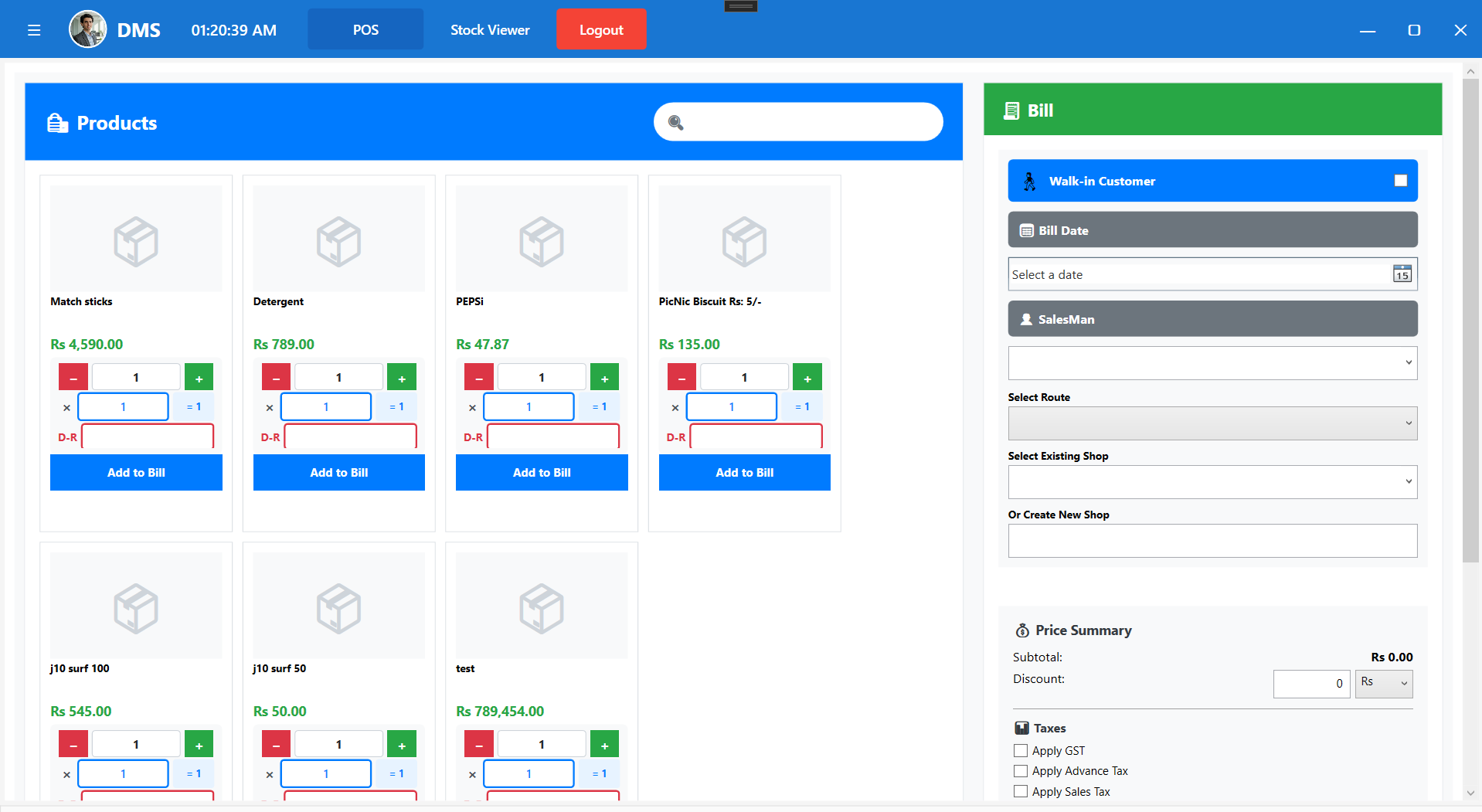
⚡ Lightning-Fast Point of Sale
A touch-friendly POS with a searchable, image-based product grid and a live bill panel. Add items, apply discounts and create a bill in seconds even with thousands of products loaded. Each bill is automatically posted to the right customer's ledger and the selling salesman's record.
📦 Inventory & Stock Control
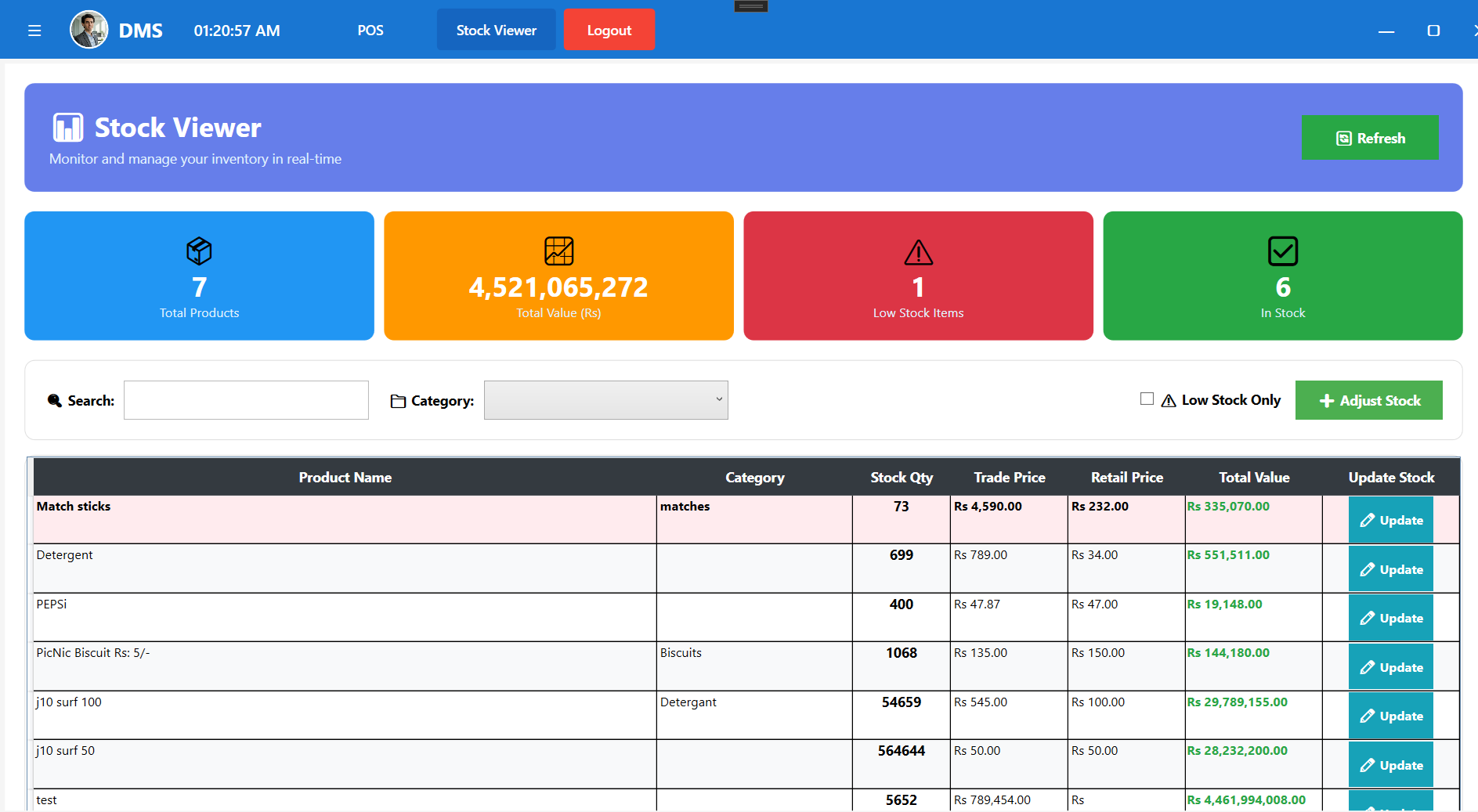
Every product the business sells lives in one central catalog organized by category, with separate trade and sale pricing and live on-hand quantities. DMS watches stock levels automatically and flags items as Low or Out of Stock, so reorders happen before a shelf goes empty. Search any product in an instant, add new ones in seconds, and trust the numbers: sales draw stock down and returns put it back the moment they're booked keeping on-hand quantities always in sync with reality.
➕ Adding a Product
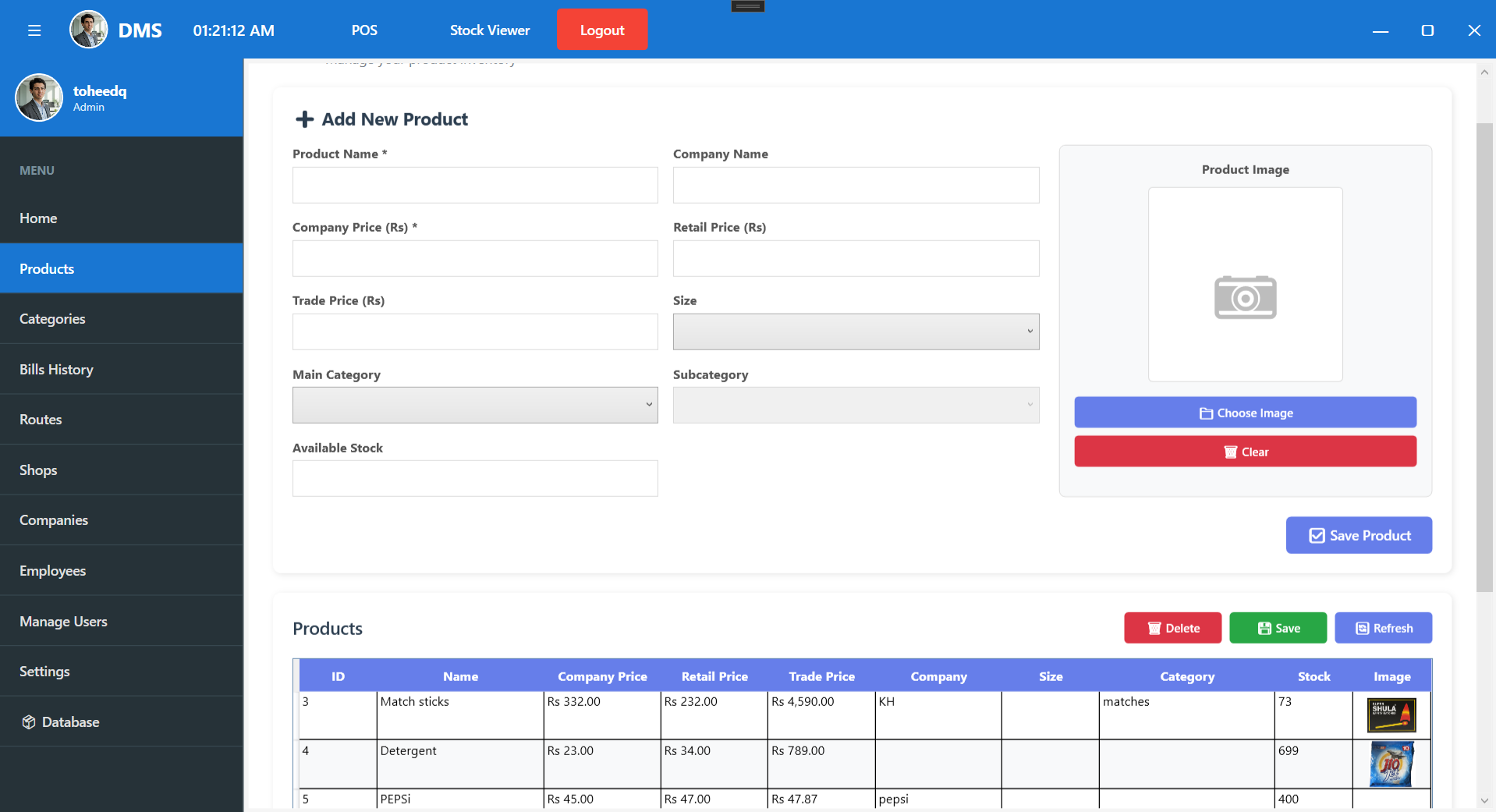
Building the catalog is quick and thorough. Each product captures everything the counter and the accounts need name, category, company/brand, size, and a product photo plus a full three-tier pricing setup: company, trade and retail price, so margins are baked in from day one. Set the opening stock quantity and the item is instantly ready to sell in the POS and tracked in inventory. The image-based catalog means staff recognize products at a glance instead of hunting through codes.
🧾 Bills History & Reporting
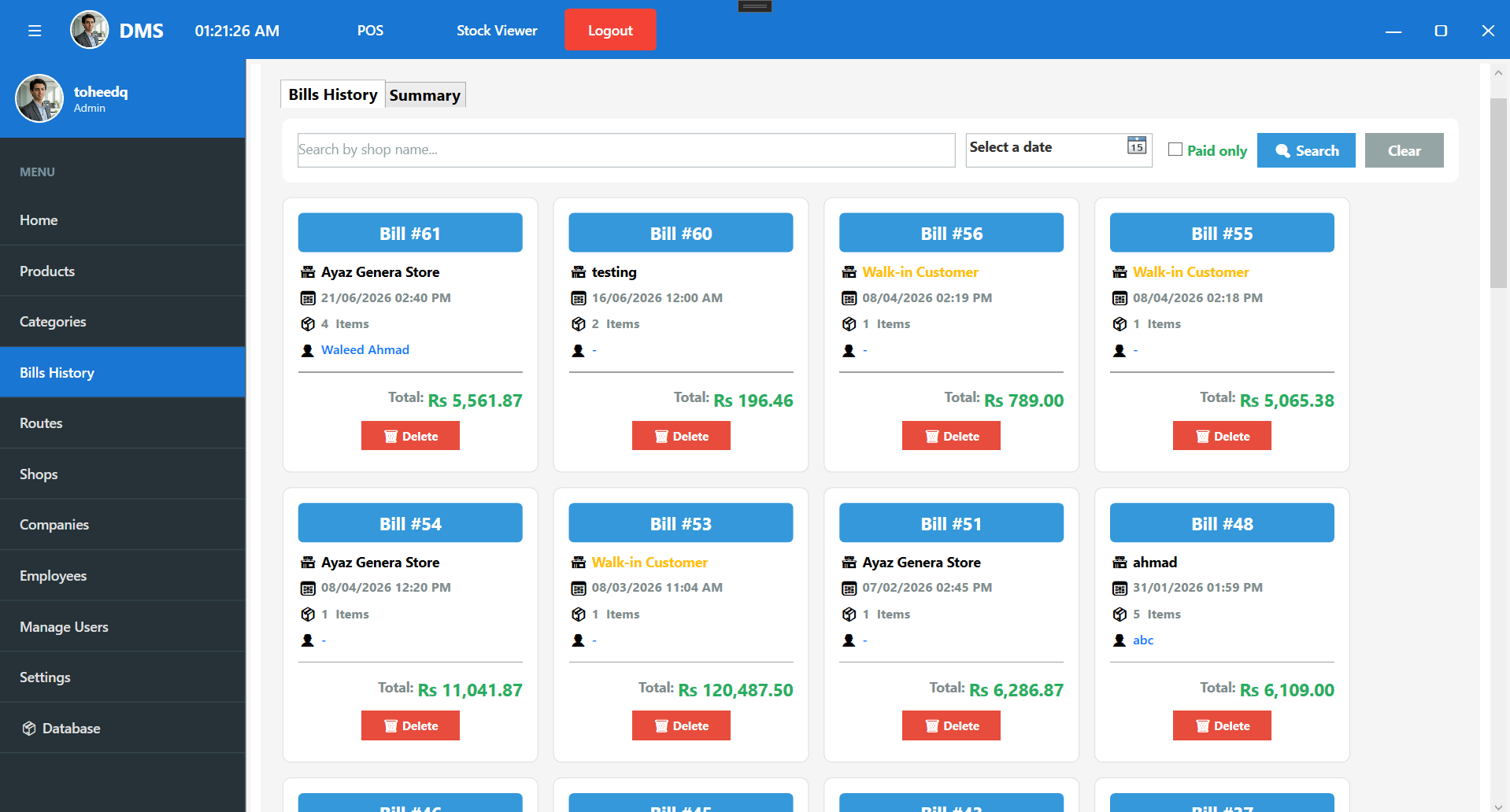
Every bill ever made, searchable and filterable (including a Paid-only filter), synced straight from the POS. Export any view to Excel for accounts, audits or owner reviews.
🚚 Routes & Distribution Coverage
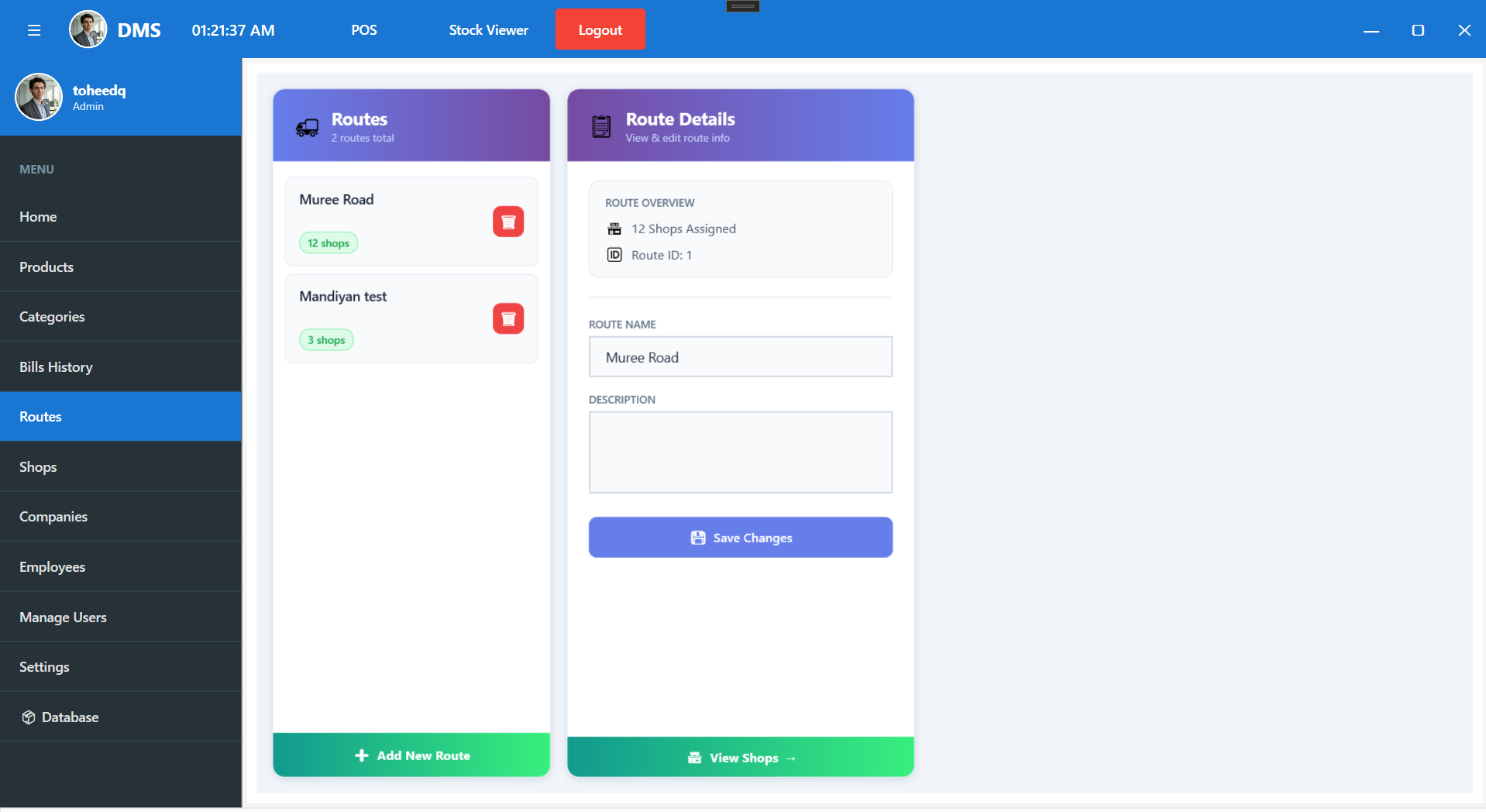
Distribution runs on beats, so DMS lets you organize the whole territory into delivery routes. Each route has a name and description and shows the number of shops assigned to it at a glance. Open any route to view and edit its details, then drill straight into the shops on that route turning a plain list into a real map of where sales happen. Routes tie directly into customer ledgers and salesman activity, and the whole view exports to Excel or CSV for planning and reporting.
📒 Customer Ledger & Receiving's
Every customer gets a clean, paginated ledger with Total Bills, Total Received, Outstanding and Excess computed live in SQL accurate over tens of thousands of records. Payments are recorded as customer-level receiving's, returns reduce the balance automatically, and cleared bills are flagged so collections are obvious at a glance. One-click Excel export produces a fully reconciling statement.
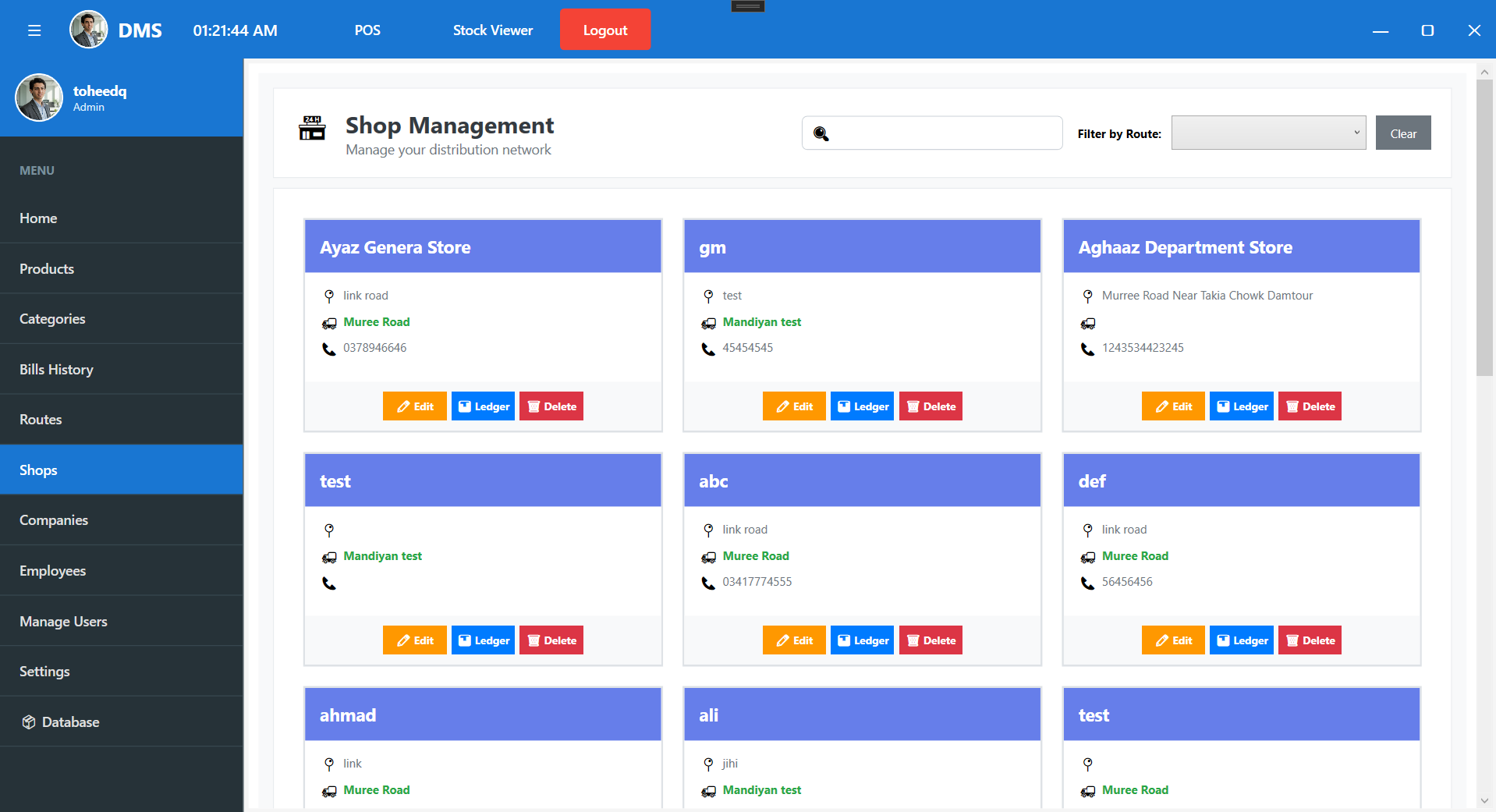
🏢 Company Ledger (Supplier Accounts)
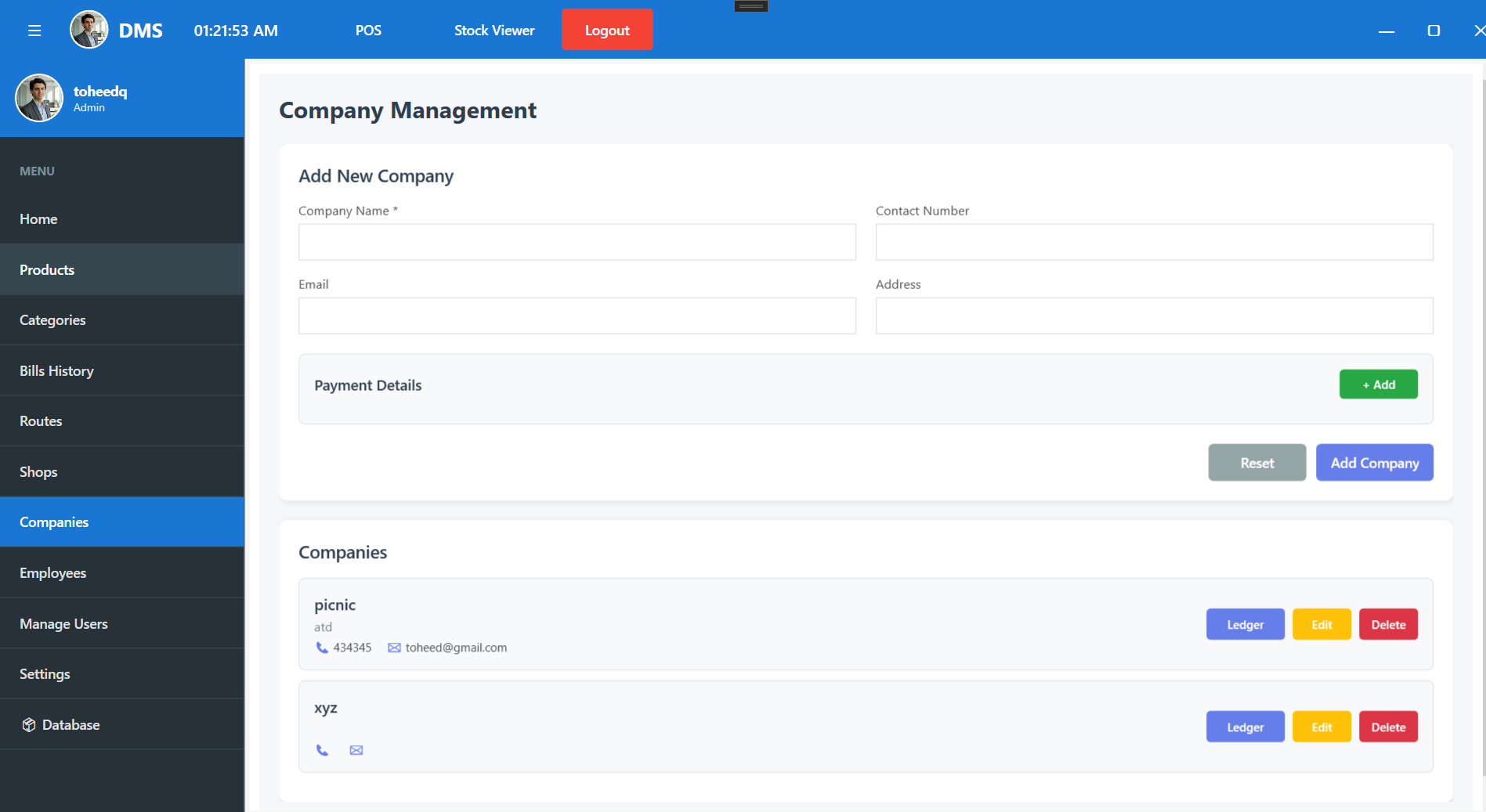
Where the customer ledger tracks money coming in, the Company Ledger tracks money going out to suppliers. Each company keeps its full profile name, address, contact, email and saved bank/payment details alongside a complete purchase ledger. Every entry captures the real accounting picture: invoice number and amount, fare, claim, net payment, paid and remaining amount, and any excess/advance, plus the payment mode, account number and transaction ID for a clean audit trail. Scanned invoices and receipts can be attached right to the entry, and balances roll up automatically, so you always know exactly what's owed to whom.
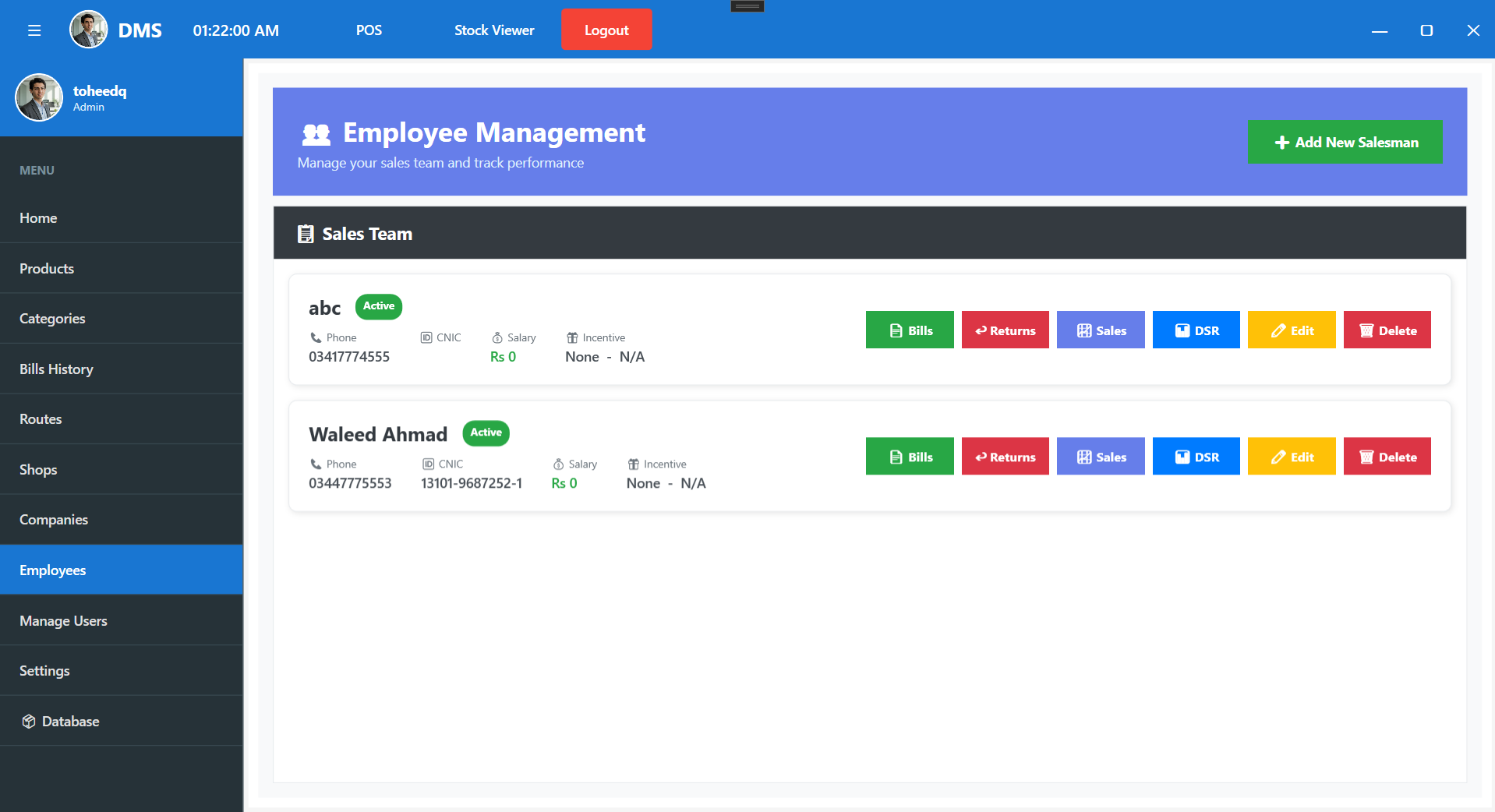
👥 Employee & Salesman Management
Every field salesman lives on one screen, with their full profile name, phone, CNIC, monthly salary and incentive (fixed or percentage). But it's more than a contact list: each row is a control panel. In one click you can open that salesman's Bills, Returns, Sales report or Daily Sales Report (DSR) and edit or remove them with the right permissions. It ties the whole field team back to real numbers, so you can see exactly who sold what, who's carrying returns, and how each person is performing.
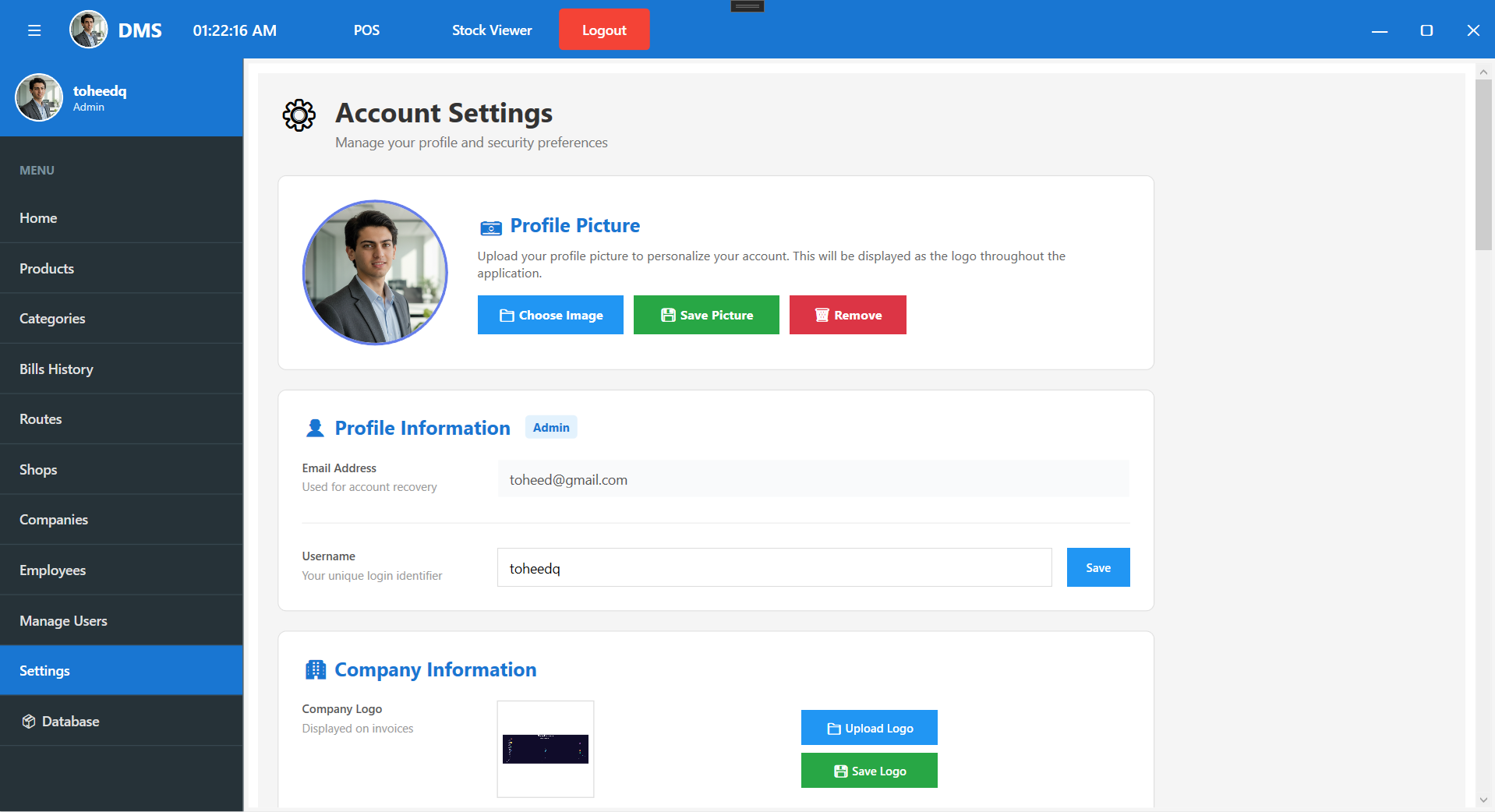
Here's the Settings section, matching your real Settings screen (profile, company info, logo, security questions, password, tax & stock config):
⚙️ Settings & System Configuration
One place to tailor the whole application to the business. Under Profile & Account, users manage their username, email, phone and profile picture/logo, change their password, and set security questions that power the Forgot-Password recovery. Company Information and a custom logo flow through onto invoices and across the app. And System Settings put the business rules in the owner's hands the currency symbol, a low-stock alert threshold, and configurable GST, Sales, Advance and Other tax percentages applied automatically to bills. Admins get full privileges; everything stays consistent everywhere it's used.
The Result
DMS turns a paper-and-spreadsheet distribution business into one fast, offline-first desktop platform where a bill takes seconds, every rupee is accounted for, and the owner can answer "how are we doing?" in a single glance. Built for the real shop floor: fast, reliable, and secure.
Have a business that runs on registers and guesswork? CodeChoicez builds custom desktop and full-stack software that fits exactly how you work let's build yours.